

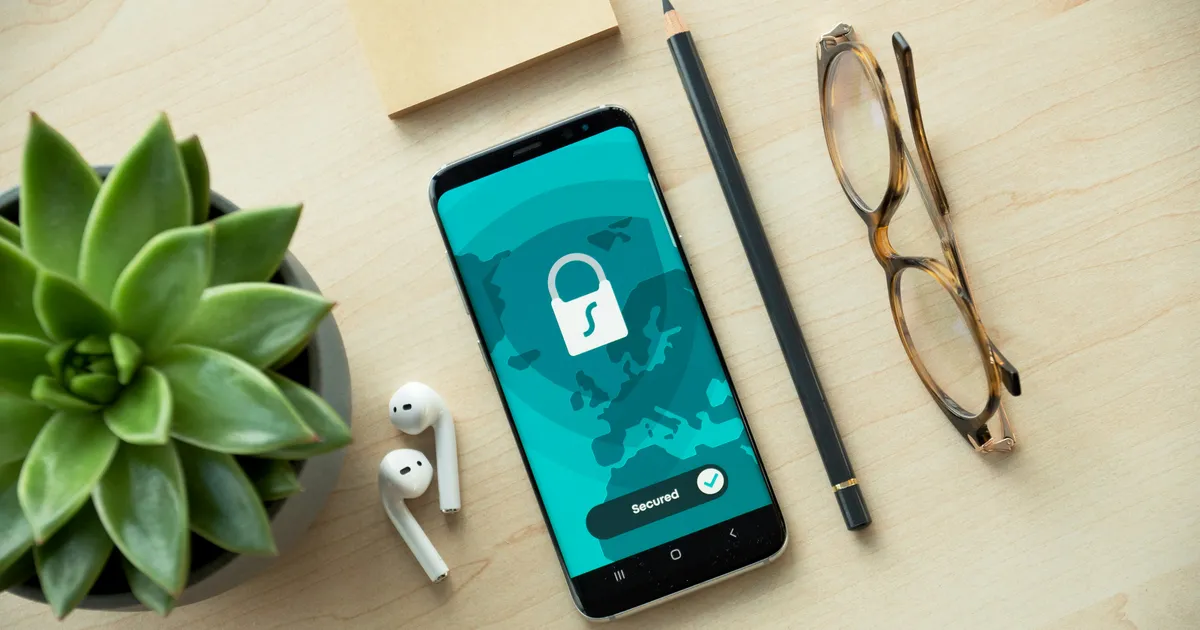

I still remember the knot in my stomach when my friend, a savvy professional, told me her bank account had been drained of a significant sum, all because of an unsecured mobile banking session. It was a stark reminder that convenience, while wonderful, comes with a critical caveat: security. In our hyper-connected world, understanding how to use mobile banking securely isn’t just a recommendation; it’s an absolute necessity. As a passionate advocate for digital financial safety, I’ve spent years delving into the intricacies of protecting our hard-earned money in the palm of our hands. Let’s unlock the secrets to truly secure mobile banking together.
Table of Contents
- How to Switch from a Traditional Bank to an Online-Only Bank: A Step-by-Step Guide
- High-Yield Savings vs. Traditional Savings Accounts: A Beginner’s Guide to Choosing the Right One
- How to Spot Phishing Text Messages and Protect Your Bank Account from Scams
- Mobile Banking Safety Checklist for Senior Citizens
- Best Savings Account Features for Daily Transactions
Fortify Your Device First
Your smartphone isn’t just a communication tool; it’s a gateway to your financial life. Before you even open your banking app, the device itself must be an impenetrable fortress. Always enable robust passcodes or PINs – something complex, not easily guessed like your birthdate. Even better, leverage biometric security like fingerprint scanners or facial recognition. These features offer a critical first line of defense, making it significantly harder for unauthorized individuals to access your phone, and by extension, your banking applications. Treat your device like the valuable vault it truly is.
Beyond basic access, keeping your device’s operating system (OS) and all applications updated is paramount. Software updates frequently include crucial security patches that address newly discovered vulnerabilities, essentially closing backdoors before criminals can exploit them. Avoid “jailbreaking” or “rooting” your phone, as these processes remove inherent security layers designed by the manufacturer, leaving your device exposed to malicious software. A pristine, updated device is the foundational step in understanding how to use mobile banking securely and confidently in 2026.
Master App Security Features
Once your device is secure, the next layer of defense lies within the banking application itself. Always activate multi-factor authentication (MFA) or two-factor authentication (2FA). This means that besides your password, you’ll need a second verification method, such as a code sent to your registered phone number or an approval via another trusted device. It’s an inconvenience that provides an invaluable shield, drastically reducing the risk of unauthorized access even if your password is compromised.
Beyond Passwords: Smart App Permissions
Many banking apps offer a suite of security settings often overlooked. Take the time to explore these. Review the permissions you grant the app; does it truly need access to your photos or contacts? Probably not for core banking functions. Disable automatic login features, however convenient they may seem, as they leave your account vulnerable if your phone falls into the wrong hands. Setting up transaction alerts for every debit or credit, no matter how small, ensures you’re immediately notified of any activity, allowing you to quickly spot and report anything suspicious. This proactive approach is key to understanding how to use mobile banking securely.
Be Wary of Wi-Fi and Phishing Threats
Public Wi-Fi networks, while convenient, are notorious for their lack of security. They often lack encryption, making it easy for cybercriminals to intercept data, including your banking credentials, if you perform financial transactions. Always opt for your cellular data connection when accessing sensitive financial apps on the go. If you absolutely must use public Wi-Fi, employing a reputable Virtual Private Network (VPN) can encrypt your connection, providing a secure tunnel through otherwise unprotected networks, safeguarding your financial details from prying eyes.
Phishing remains one of the most persistent and dangerous threats. Be incredibly skeptical of unsolicited emails, texts, or calls claiming to be from your bank. These often contain urgent pleas or threats designed to trick you into revealing your login information or clicking malicious links. Always verify the sender’s identity. If in doubt, never click links; instead, open your banking app directly or type your bank’s official website address into your browser. Remember, legitimate banks will never ask for your full password or PIN via email or text. For more information on identifying phishing attempts, visit the FBI’s guidance on phishing.
Monitor Your Accounts Diligently
Even with the strongest preventative measures, vigilance remains your ultimate defense. Make it a habit to regularly review your bank statements and transaction history through your mobile app. Look for any unfamiliar charges, no matter how small. Many banks allow you to set up custom alerts for specific transaction types, amounts, or even international activity. These immediate notifications are invaluable, allowing you to react swiftly to potential fraud before it escalates. Consider this your personal financial radar.
Should you ever spot a suspicious transaction or suspect unauthorized access, act immediately. Most banking apps offer a direct way to report fraud or freeze your card instantly. Contact your bank’s fraud department without delay. Understanding your bank’s liability policy for unauthorized transactions is also crucial; typically, if you report fraud promptly, you’re protected. Proactive monitoring isn’t just about preventing losses; it’s about maintaining peace of mind and reinforces the core principles of how to use mobile banking securely.
The Future of Secure Mobile Banking
The landscape of mobile banking security is constantly evolving. Looking towards 2026, we can anticipate even more sophisticated security measures, including advanced AI-driven fraud detection that analyzes behavioral patterns, and enhanced biometric authentication such as voice recognition. Banks are continually investing in these technologies to stay ahead of cybercriminals, offering you more robust protection. This commitment to innovation means users will benefit from seamless yet highly secure experiences.
As technology advances, so too do the methods of those seeking to exploit it. Therefore, your personal commitment to staying informed about the latest security practices is non-negotiable. Regularly check your bank’s security advisories and trusted financial news sources. Embrace new security features as they become available and adapt your habits accordingly. The future of how to use mobile banking securely hinges not just on technological advancements, but on an informed and proactive user base. Stay curious, stay secure, and continue to protect your digital financial footprint.
Key Takeaways
- Device Security is Foundational: Always use strong passcodes, biometrics, and keep your device’s OS and apps updated to patch vulnerabilities. Avoid jailbreaking or rooting, as these compromise built-in security.
- Leverage App-Specific Protections: Activate multi-factor authentication (MFA) for every financial app. Review and limit app permissions, disable auto-login, and set up transaction alerts for immediate fraud detection.
- Exercise Caution with Connections & Communications: Never conduct banking over public Wi-Fi; use cellular data or a VPN. Be extremely wary of phishing attempts via email, text, or calls; always verify sources independently.
- Be a Vigilant Account Monitor: Regularly check your transaction history for any unauthorized activity. Report suspicious charges or potential fraud to your bank immediately through official channels to protect your funds.
Frequently Asked Questions
What is multi-factor authentication (MFA) and why is it so important?
MFA is a security system that requires more than one method of verification to grant access to an account. Typically, this means something you know (like a password) and something you have (like your phone receiving a code) or something you are (like a fingerprint). It’s crucial because even if a criminal steals your password, they can’t access your account without the second factor, adding a robust layer of protection.
Is it safe to use my mobile banking app on a public Wi-Fi network?
No, it is generally not safe to use your mobile banking app on public Wi-Fi networks. These networks are often unsecured and can be easily intercepted by cybercriminals, making your sensitive financial data vulnerable. Always use your mobile data connection for banking or, if absolutely necessary, connect via a reputable Virtual Private Network (VPN) for encryption.
How often should I check my bank statements for suspicious activity?
You should aim to check your bank statements and transaction history at least once a week, if not more frequently. Many banking apps offer real-time alerts for transactions, which can provide immediate notification of any activity. The sooner you detect and report suspicious activity, the better your chances of resolving it without financial loss.
What should I do if I receive a suspicious text or email claiming to be from my bank?
If you receive a suspicious text or email, do not click on any links or respond. Instead, delete it immediately. If you’re concerned it might be legitimate, independently verify by contacting your bank directly using the official phone number from their website or the back of your card, or by logging into your banking app directly, rather than using any contact information provided in the suspicious message.
Conclusion
Navigating the digital financial landscape requires a proactive, informed approach. By prioritizing device security, mastering your app’s features, recognizing common threats like phishing, and diligently monitoring your accounts, you’re not just being careful – you’re empowering yourself. The convenience of mobile banking is undeniable, and with these expert strategies, you can enjoy it with complete peace of mind, knowing your money is safe and sound, today and well into 2026. Stay secure, stay smart!
Disclaimer: The information provided in this article is for educational and informational purposes only and does not constitute financial advice. Please consult with a certified financial professional before making any financial decisions.
Related Financial Guides:
- Top Safe Investments for Steady, Reliable Returns
- How to Choose the Best Credit Card Wisely: Your Ultimate Guide
- How to Choose the Right Credit Card for Your Spending Habits
About the Author: Larson
Certified Financial Consultant & Digital Wealth Strategist
With over a decade of experience in personal finance, wealth management, and digital banking optimization, Larson provides expert-backed, actionable strategies to help readers build long-term financial stability. His insights strictly adhere to ethical financial practices and industry standards.
